Introduction
Do you think having cameras will be enough to inspect a site during a critical incident?
Definitely not. Security teams need to know what happened, where it happened, whether the threat is genuine, where the incident is moving, and who needs to respond. The faster they can answer these questions, the better they can manage the situation.
This becomes difficult when a facility has dozens or hundreds of cameras covering entrances, parking areas, production floors, warehouses, restricted zones, perimeter locations and other critical areas.
Operators cannot realistically watch every camera continuously. This is where our Katomaran Video Management System becomes important.
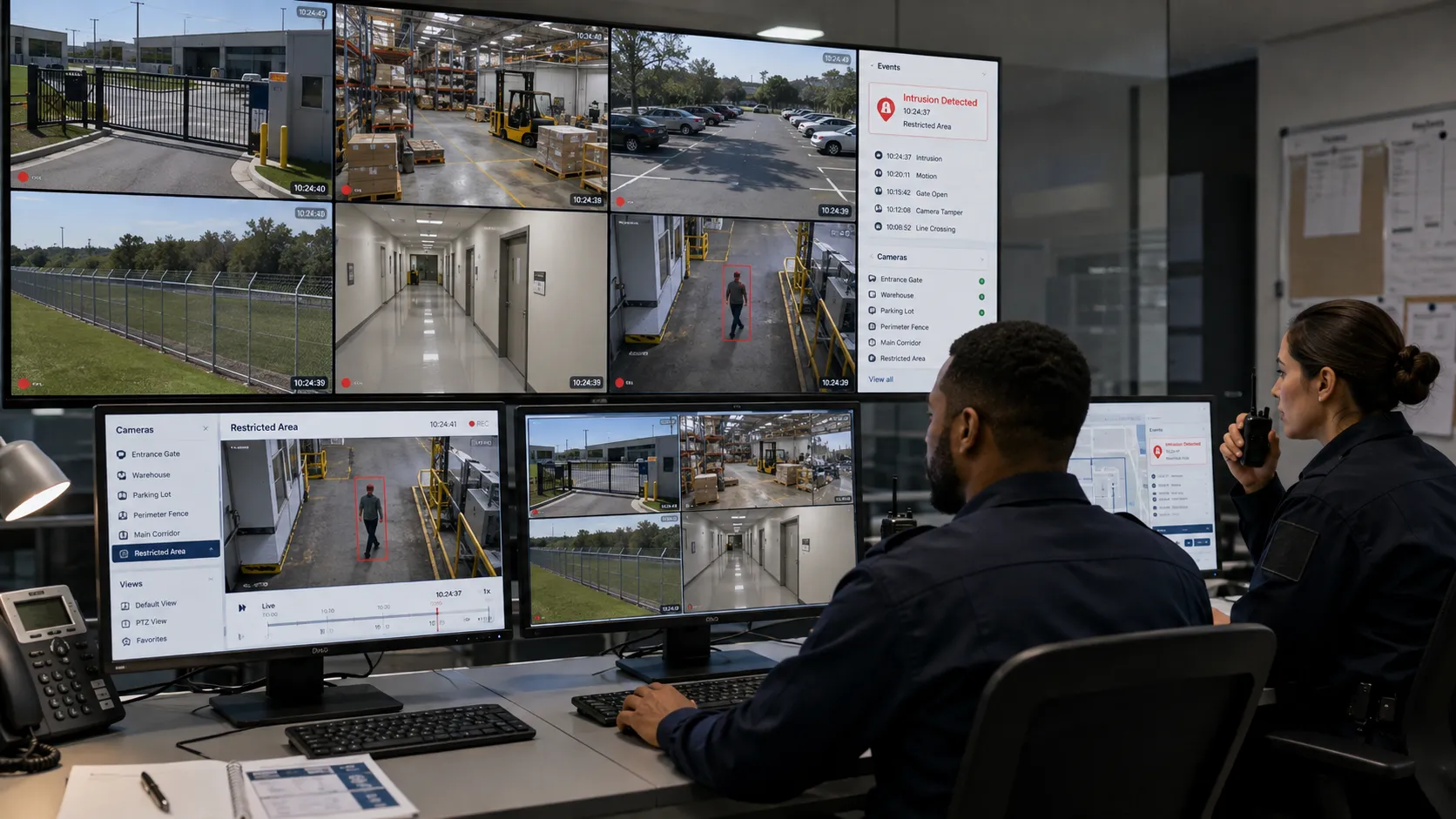
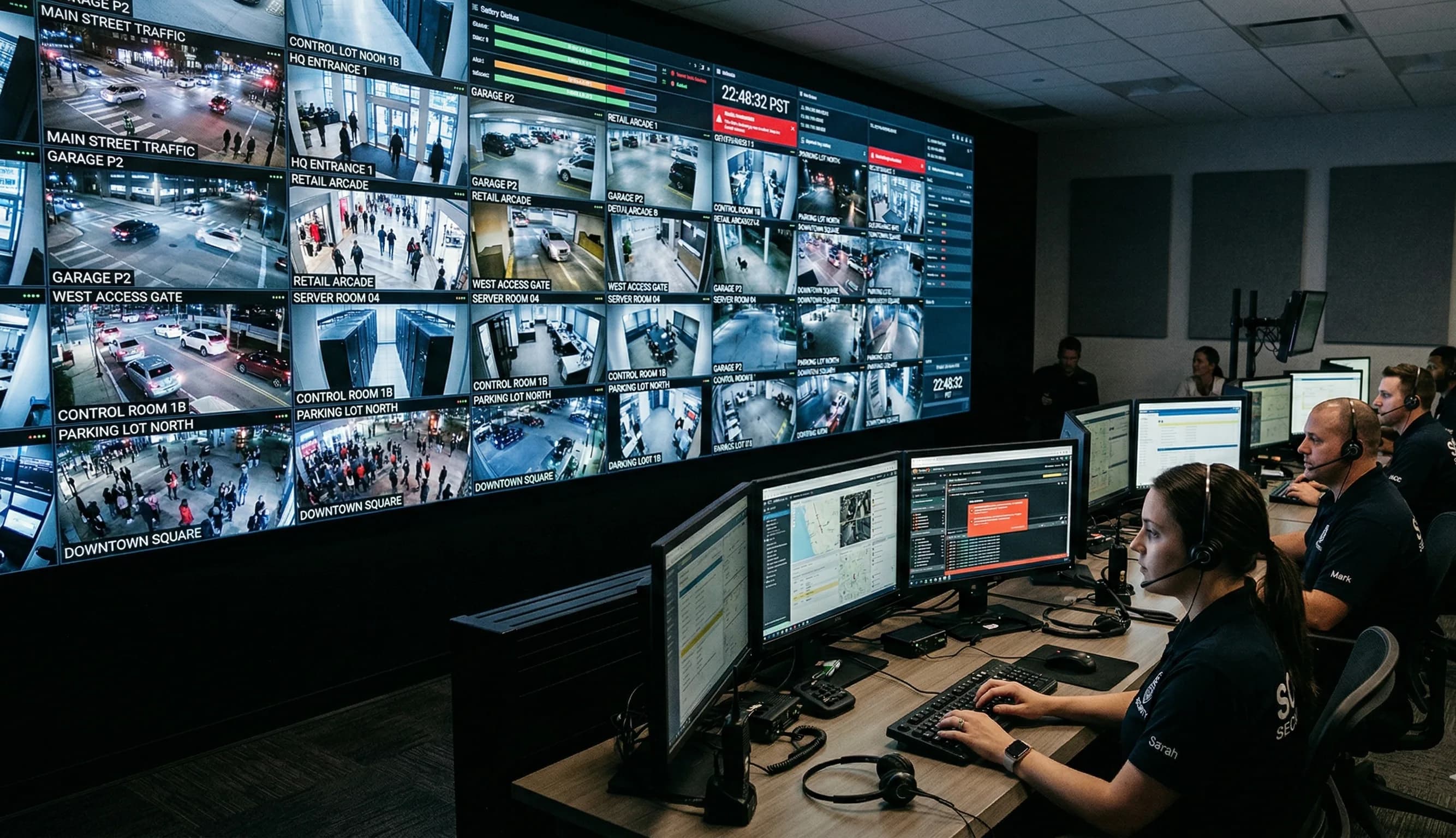
Katomaran's Video Management System brings live camera feeds, recorded video, alerts, camera management and video analytics into one centralized platform. Instead of searching across multiple systems during an incident, security operators can identify the relevant event, verify it through live video and coordinate the next action from one monitoring environment.
The result is a more connected security response from the moment an incident is detected to the point where recorded footage is reviewed afterward.
Why Traditional CCTV Monitoring Can Slow Incident Response
Traditional CCTV systems are useful for providing visual coverage, but adding more cameras does not automatically make a security operation more responsive.
Imagine a control room monitoring 100 cameras.
Most of those cameras may show normal activity for hours. An operator still has to notice when something unusual happens, identify the correct camera and understand whether the activity requires action.
“A study from 2002 that is still well referenced by the CCTV community found that after 12 minutes of continuous video monitoring an operator will often miss up to 45% of screen activity, after 22 minutes of viewing, up to 95% is overlooked. And that is based on a very small number of cameras and monitors.”
“After 12 minutes of continuous video monitoring an operator will often miss up to 45% of screen activity, after 22 minutes of viewing, up to 95% is overlooked ...”
During a critical incident, even a small delay can make the situation harder to manage.
Common challenges include:
Operators notice incidents only after they have already developed.
Spending time identifying which camera captured the event.
Switching between different surveillance interfaces.
Having limited visibility once a person or vehicle moves away from the original camera.
Sending security personnel without enough information about the situation.
Manually searching through recorded footage after an incident.
The challenge becomes even greater when organizations operate multiple buildings, campuses or facilities.
Katomaran VMS helps address these problems by bringing surveillance feeds and security information into one environment, giving operators a clearer picture of what is happening.
For organizations managing large surveillance networks, an enterprise Video Management System can simplify monitoring across cameras, users, locations and security teams.
How Katomaran VMS Supports Security Incident Response
Security response is rarely a single action.
An operator may first receive an alert, verify the associated camera, check nearby cameras, contact the appropriate security personnel, continue monitoring the situation and later review the recorded footage.
Katomaran VMS helps connect these activities through one centralized surveillance platform.
Here is how that works during a critical incident.
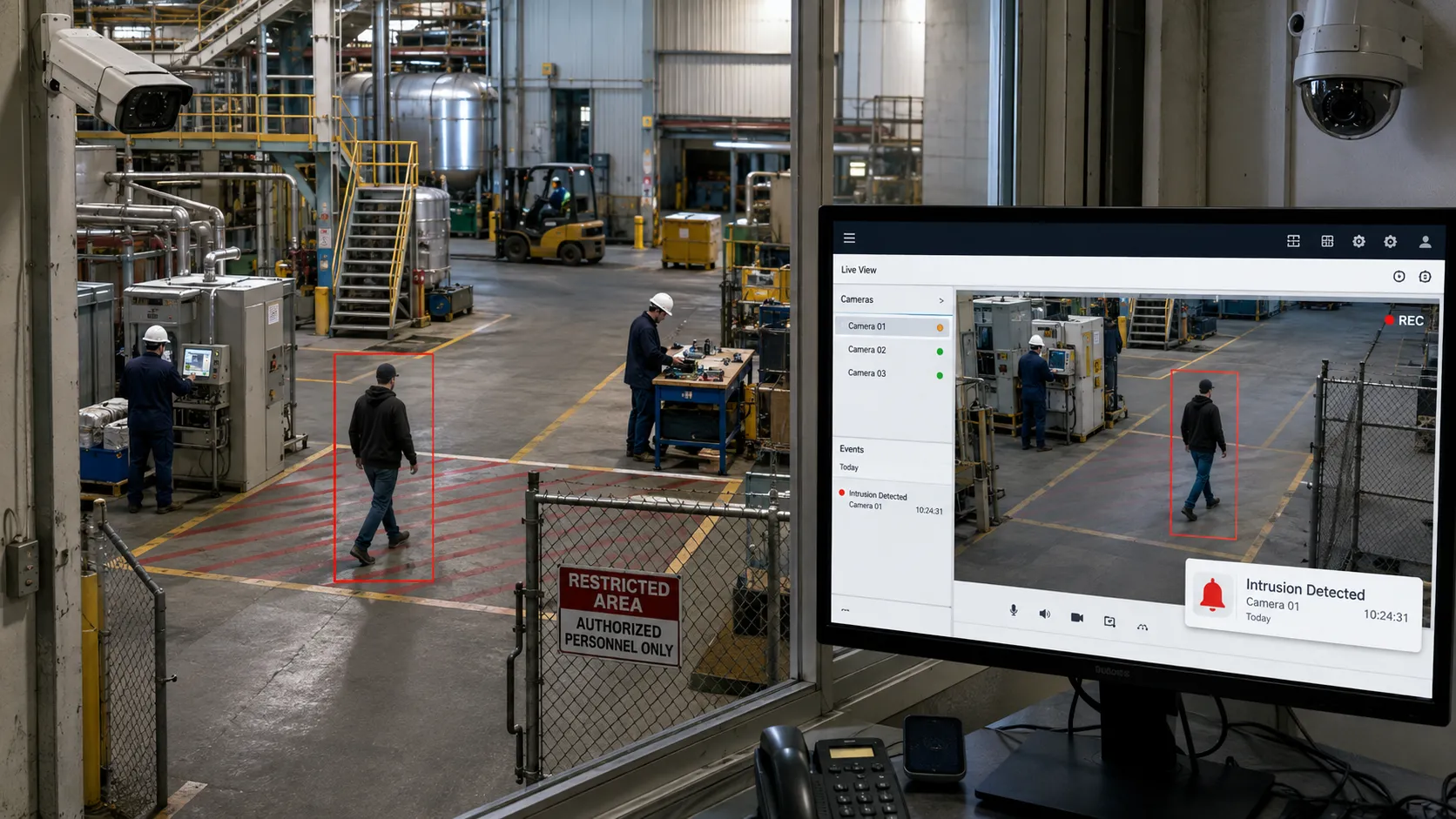
1. Detect Important Security Events Earlier
The first challenge is knowing that something has happened.
Operators cannot continuously focus on every camera, especially in large facilities where hundreds of video streams may be active at the same time.
By combining Katomaran VMS with AI video analytics, cameras can be used to identify predefined events automatically.
Depending on the security requirement, analytics may detect events such as:
Unauthorized entry
Restricted-area intrusion
Perimeter breaches
Loitering
Crowd formation
Unusual movement
Access violations
Other configured security events
Instead of expecting an operator to notice every event manually, the surveillance system can bring important activity to their attention.
This allows operators to spend less time watching routine footage and more time investigating events that may actually require a response.
For large industrial sites, campuses, warehouses and infrastructure facilities, this can make surveillance far more manageable.
2. Bring Real-Time Alerts to the Operator
Detecting an event is useful only when the security team knows about it quickly.
When a configured security condition is detected, Katomaran VMS can present the event as a real-time alert to the control-room operator.
Rather than searching through multiple camera feeds to understand where something happened, the operator can immediately focus on the relevant event.
For example, if video analytics detects movement inside a restricted area, the alert can direct the operator's attention to the associated camera.
The operator can then:
Open the relevant live video.
Check what triggered the event.
Understand the location.
Assess whether immediate action is required.
Begin coordinating the response.
This shortens the gap between detecting an incident and taking action.
Real-time alerts are particularly valuable in environments where security teams need to react quickly to intrusion, access violations, safety incidents or suspicious activity.
3. Verify the Incident Through Live Video
Not every alert requires the same response.
Before sending guards or escalating an event, the operator needs to understand what actually happened.
With Katomaran VMS, the camera associated with the event can be opened directly so the operator can visually verify the situation.
Consider an intrusion alert near a restricted warehouse.
Instead of sending personnel based only on the alert, the operator can first check whether:
Someone actually entered the restricted area.
The individual is authorized to be there.
The person is moving deeper into the facility.
Other people or vehicles are involved.
The situation requires an immediate security response.
This verification step gives the security team more reliable information before action is taken.
It can also help reduce unnecessary responses to events that turn out to be harmless or authorized activity.
For facilities with large boundaries or sensitive restricted areas, video analytics for perimeter security can further support early detection and faster verification.
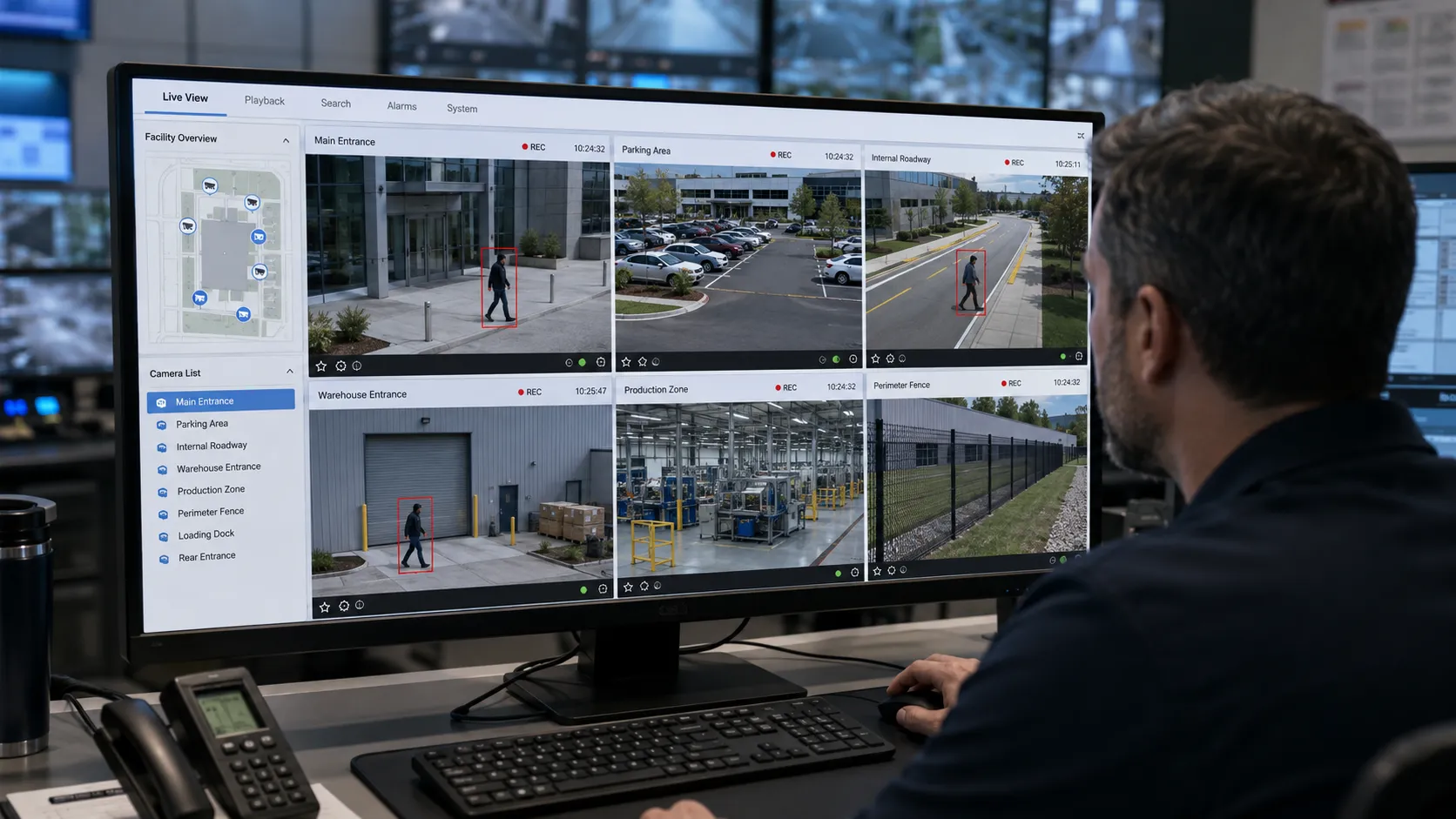
4. See the Full Incident Across Multiple Cameras
A security incident rarely stays inside the view of one camera.
A person entering through a restricted gate may continue toward a warehouse. A suspicious vehicle may move from an entrance to a parking area. A crowd may begin forming in one location before spreading into another area.
Once this happens, the operator needs more than the original camera.
Katomaran VMS allows security teams to view multiple camera feeds from the same centralized interface.
For example, if an unauthorized person enters through Gate 2 and moves toward a storage area, the control-room operator can check cameras covering the nearby road, warehouse entrance and surrounding zones to continue following the movement.
This gives the operator a broader understanding of:
Where the incident started.
Which direction it is moving.
Which locations may be affected next.
Whether additional people or vehicles are involved.
Which security team is closest to the event.
This is especially important in large industrial facilities, campuses and enterprise environments where incidents may move across several monitored zones.
In larger command centres, well-designed VMS video wall layouts can also help operators keep important camera feeds visible during active incidents.
5. Give Response Teams Better Information
A security response is only as effective as the information available to the people responding.
Imagine a guard receives a message saying:
“Someone has entered the restricted area.”
That tells the guard something happened, but it still leaves several questions unanswered.
Where exactly is the person?
Which direction are they moving?
Are they alone?
Are they still inside the restricted zone?
Is the situation getting worse?
With centralized monitoring, the control-room operator can provide much more useful information.
For example:
“An unauthorized person entered through the east-side restricted gate and is currently moving toward Warehouse 3. The person is visible on the camera near the loading area.”
That information gives the responding team a much clearer picture before they reach the location.
Because the event has already been checked through live video, guards, supervisors or emergency teams can respond based on verified information rather than assumptions.
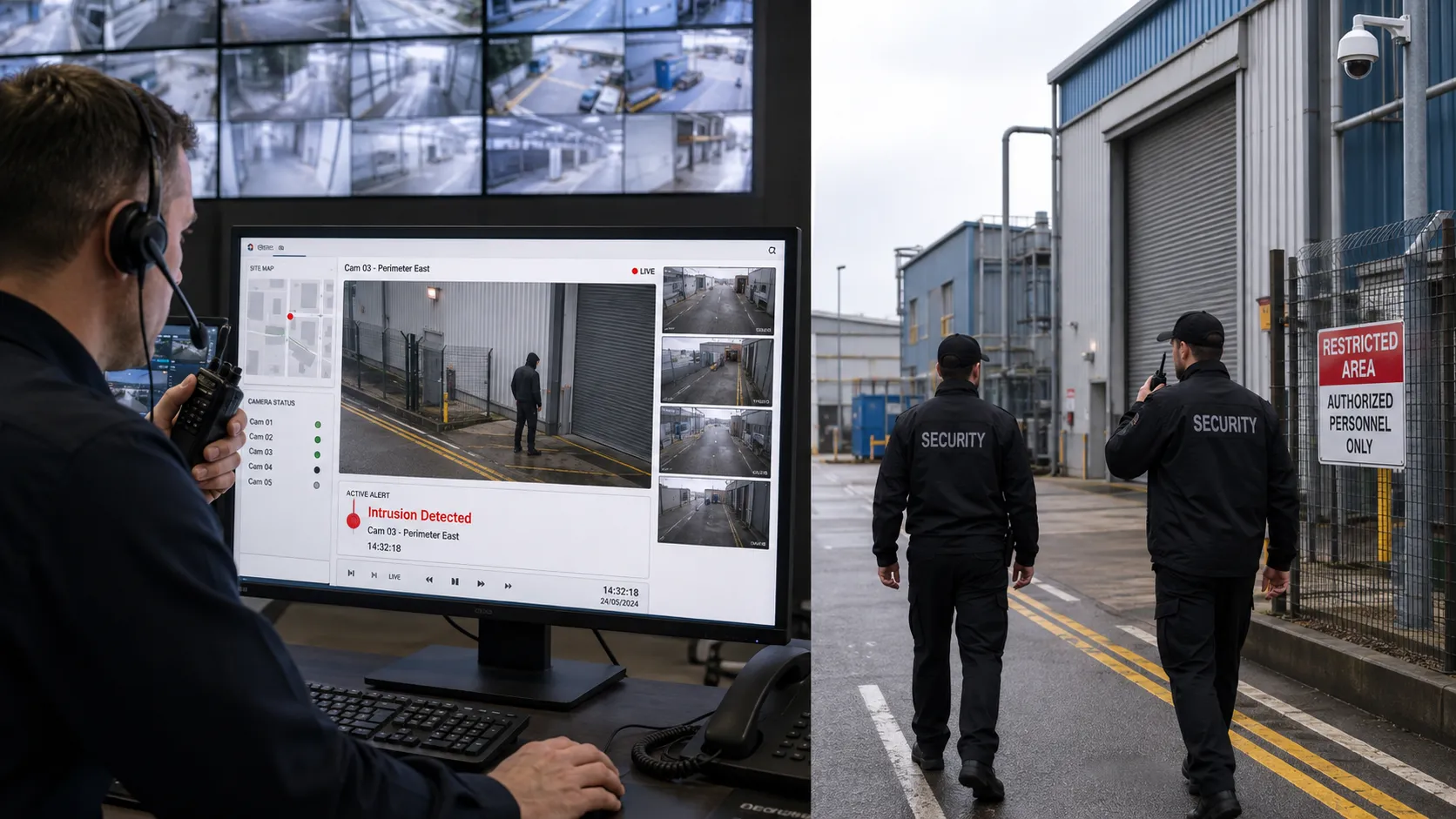
6. Continue Tracking the Incident as It Develops
Security incidents can change quickly.
An intruder may change direction.
A suspicious vehicle may leave one area and enter another.
A crowd may become larger.
A workplace safety event may begin affecting nearby operations.
While security personnel are moving toward the incident, the control-room operator can continue monitoring the situation through nearby cameras.
Using Katomaran VMS, the operator can switch between relevant feeds, observe changes and provide updated information to the response team.
This creates an important link between the control room and personnel on the ground.
The people responding to the incident may only be able to see what is directly in front of them. The control-room operator can often see the wider environment through multiple cameras.
That additional visibility can help teams respond more effectively.
The same approach can also be used across larger deployments. In city surveillance environments, for example, VMS for smart cities can bring cameras from roads, junctions, public spaces and critical infrastructure into a centralized monitoring environment.
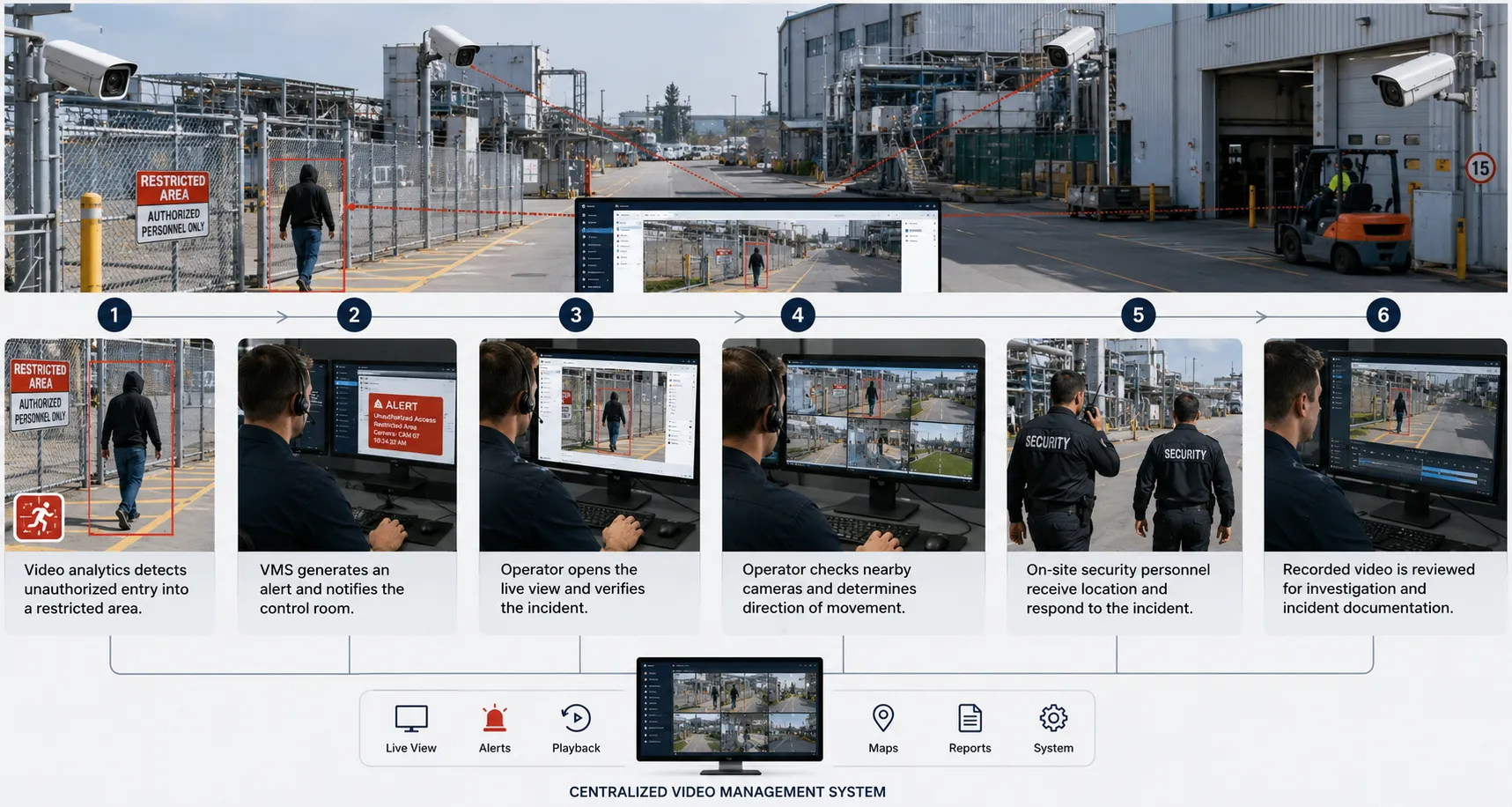
A VMS Security Incident Response Example
Consider a large industrial facility with multiple restricted areas monitored by IP cameras.
An unauthorized person enters a restricted zone.
Video analytics identifies the activity and generates an event within Katomaran VMS.
The control-room operator opens the associated live camera and confirms that the person should not be inside the area.
Instead of looking at that camera alone, the operator checks nearby feeds and sees the individual moving toward another part of the facility.
The operator informs the security team of the person's current location and direction of movement.
While guards move toward the area, the control room continues following the incident through connected cameras and provides updated location information.
Once the situation is resolved, the operator can return to the recorded video to review when the person entered, how they moved through the facility and how the response was handled.
The complete workflow becomes:
Detection → Real-Time Alert → Verification → Multi-Camera Monitoring → Response → Tracking
Each stage is connected through the same surveillance environment.
From Passive CCTV to Proactive Security Monitoring
CCTV cameras are valuable, but cameras alone still depend heavily on someone noticing what is happening.
A modern surveillance operation should help security teams move from simply watching video to actively managing incidents.
With Katomaran's Video Management System, live feeds, alerts, recordings, video analytics and camera monitoring can be managed through one centralized platform.
When a critical event occurs, operators can identify the relevant activity, verify it through live video, check surrounding cameras, provide accurate information to response teams and continue following the incident as it develops.
After the event, the same platform can support video review and investigation.
This creates a more connected security workflow and gives operators the information they need to make better decisions when response time matters.
Frequently Asked Questions
1. What is a Video Management System?
A Video Management System, or VMS, is a centralized platform used to manage live camera feeds, recorded video, alerts, camera operations and other surveillance information from one interface. Katomaran VMS can also work with video analytics to help operators identify, verify and manage security events more efficiently.
2. How does a VMS help during security incidents?
A VMS gives security operators one place to view camera feeds, receive alerts, verify events, check nearby cameras, monitor developing situations and review recorded footage. This helps teams move more efficiently from incident detection to response and investigation.
3. How do real-time alerts work in a VMS?
Real-time alerts can be generated when connected video analytics or configured security rules identify a predefined event. The alert brings the event to the operator's attention so they can open the relevant camera, verify what happened and determine whether further action is required.
4. Can security teams verify alerts before responding?
Operators can open the live camera associated with an alert and visually check the situation before deploying personnel. They can also review nearby cameras to understand the wider context of the incident.
5. Can Katomaran VMS work with AI video analytics?
Katomaran VMS can work with AI video analytics to support detection of configured events such as intrusion, perimeter breaches, unauthorized access, loitering, crowd formation and other security conditions. The detected event can then be presented to the operator for verification and response.
6. Can VMS help with post-incident investigation?
Recorded video can be reviewed using relevant cameras, timestamps, event information and available search capabilities. This helps security teams reconstruct incidents, prepare reports, support investigations and identify opportunities to improve security procedures.

Dinesh Kumar
SEO Analyst
Dinesh Kumar is an SEO Analyst at Katomaran Technologies, writing search-optimized content on AI video analytics, VMS, intelligent surveillance, and IoT-driven technology solutions.