The Real Cost of Slow Video Search
How Long Does It Actually Take Your Team to Find One Clip of Footage?
Ask any security operator this question honestly, and the answer is rarely “a few minutes”. Something has happened a theft, a safety violation, an access dispute, an incident that needs review and someone has to go find the footage. What should take minutes often takes hours. An operator scrolls through hours of recording, jumps between different camera feeds, and tries to reconstruct a timeline manually.
The cost adds up fast. In manufacturing plants, the delay holds up incident reports. In retail chains, it slows down loss prevention investigations. In corporate campuses, security teams end up spending more time hunting for footage than actually reviewing it. Decisions get delayed. Evidence gets harder to correlate the longer it takes to pull together. Operators doing this work daily burn out on the repetition.
Most organizations don't realize how much this costs until they measure it. A single investigation that should take fifteen minutes can stretch into an afternoon when footage is scattered across multiple recorders, formats, and physical locations. For businesses running more than one site which describes a large share of Indian enterprises, from multi-branch retail chains to multi-factory manufacturing groups this problem compounds quickly.
That burden isn't just anecdotal. In a UK police research study on CCTV-based investigations, trained reviewers took an average of 59 minutes to review just 18 minutes of footage more than three times the footage's own running length. Scale that across a multi-camera, multi-site enterprise, and the hours add up fast.
This also isn't a shrinking category businesses can simply wait out. The global video management software market is projected to grow from roughly $18.4 billion in 2025 to nearly $40 billion by 2029 (a ~21% CAGR), according to market research firm estimates. In India specifically, the CCTV market is on track to nearly triple by 2031, partly fueled by the 76,000+ cameras already deployed across 100 cities under India's Smart Cities Mission, per Mordor Intelligence. More cameras without better search just means more footage nobody has time to find.
Why Traditional Setups Make Video Search Painful?
The root issue is usually architectural. Most legacy CCTV setups were built site by site, camera by camera, without a long-term plan for how footage would be searched later.
A few patterns show up repeatedly:
Fragmented storage. Each site has its own DVR or NVR, often from a different vendor, with its own interface and its own retention policy. An investigation spanning two locations means logging into two separate systems.
No unified metadata. Traditional systems record video but don't tag it meaningfully. There's no way to search by event type, vehicle, or activity only by camera and timestamp, which assumes you already know roughly when and where to look.
Manual timestamp correlation. When an incident crosses multiple cameras, operators have to manually note timestamps from one feed and cross-reference them in another. This is slow and prone to error, especially across sites with slightly unsynced clocks.
Multi-vendor camera environments. Many Indian facilities have grown organically a new camera added here, a new NVR added there resulting in a mix of brands and protocols that don't talk to each other cleanly.
Variable network conditions. For sites connected over leased lines or broadband that isn't always stable, remote access to recorded footage can be slow or unreliable, adding further delay to an already manual process.
Put together, these factors mean the actual "watching video" part of an investigation is often the smallest portion of the time spent. Most of the time goes into locating the right footage in the first place.
How a Centralized VMS Changes the Search Process
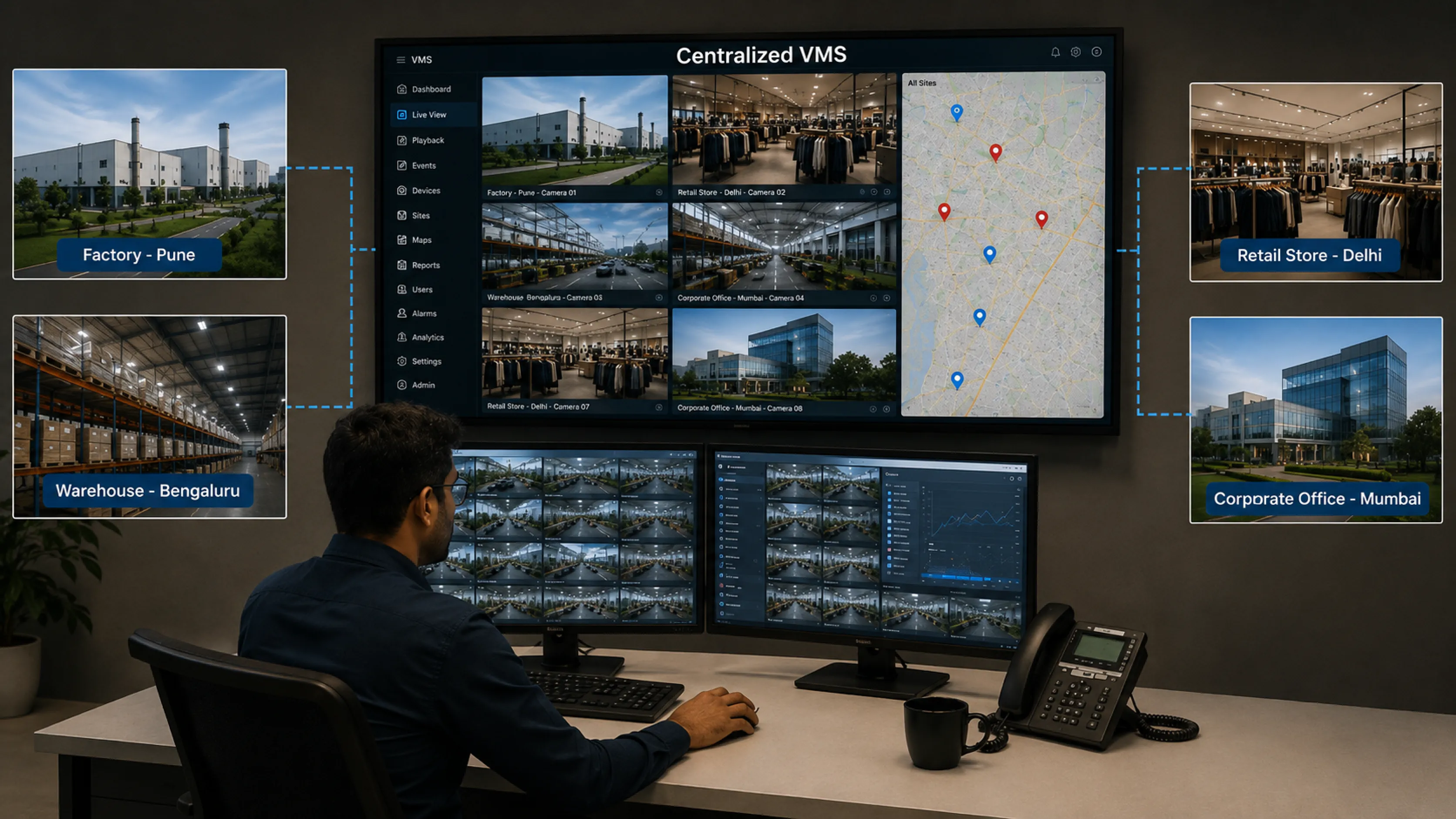
A centralized video management system consolidates video, metadata, and search across every site into one interface. Sites stop operating as separate islands, each with their own login and their own rules.
A centralized VMS brings all camera feeds whether from one building or fifty into a single searchable system, so operators stop juggling multiple logins and correlating timestamps by hand. Our overview on why a video management system matters for large enterprises goes into this in more depth, but the core idea is simple: search should happen once, across everything.
This matters even more for organizations running multiple locations. A multi-site VMS setup that centralizes control into one operations view lets a single operator search footage from a factory in one city and a warehouse in another, without requesting access separately from each site's local team.
The result is a fundamentally different search process. Operators query by criteria time range, location, camera group, event type and the system pulls matching footage directly, instead of anyone browsing frame by frame.
How Katomaran solves and enhances the traditional video search: Katomaran VMS is built specifically to remove every one of these bottlenecks at once. It brings every site, and every camera brand, into one dashboard no per-site logins, no manual clock-correlation, no vendor-lock-in on hardware. If your team is currently piecing together footage across disconnected DVRs and NVRs, this single architectural shift is usually where the biggest time savings show up first. It is designed exactly for this query-first model. Whether you're running 10 cameras or 1,000 across dozens of locations, the platform gives every site the same searchable interface so scaling to more sites doesn't mean scaling your operators' workload.
Key Capabilities That Actually Reduce Search Time
Centralization is the foundation. What actually reduces search time is the specific set of capabilities built on top of it.
Unified Indexing Across Sites
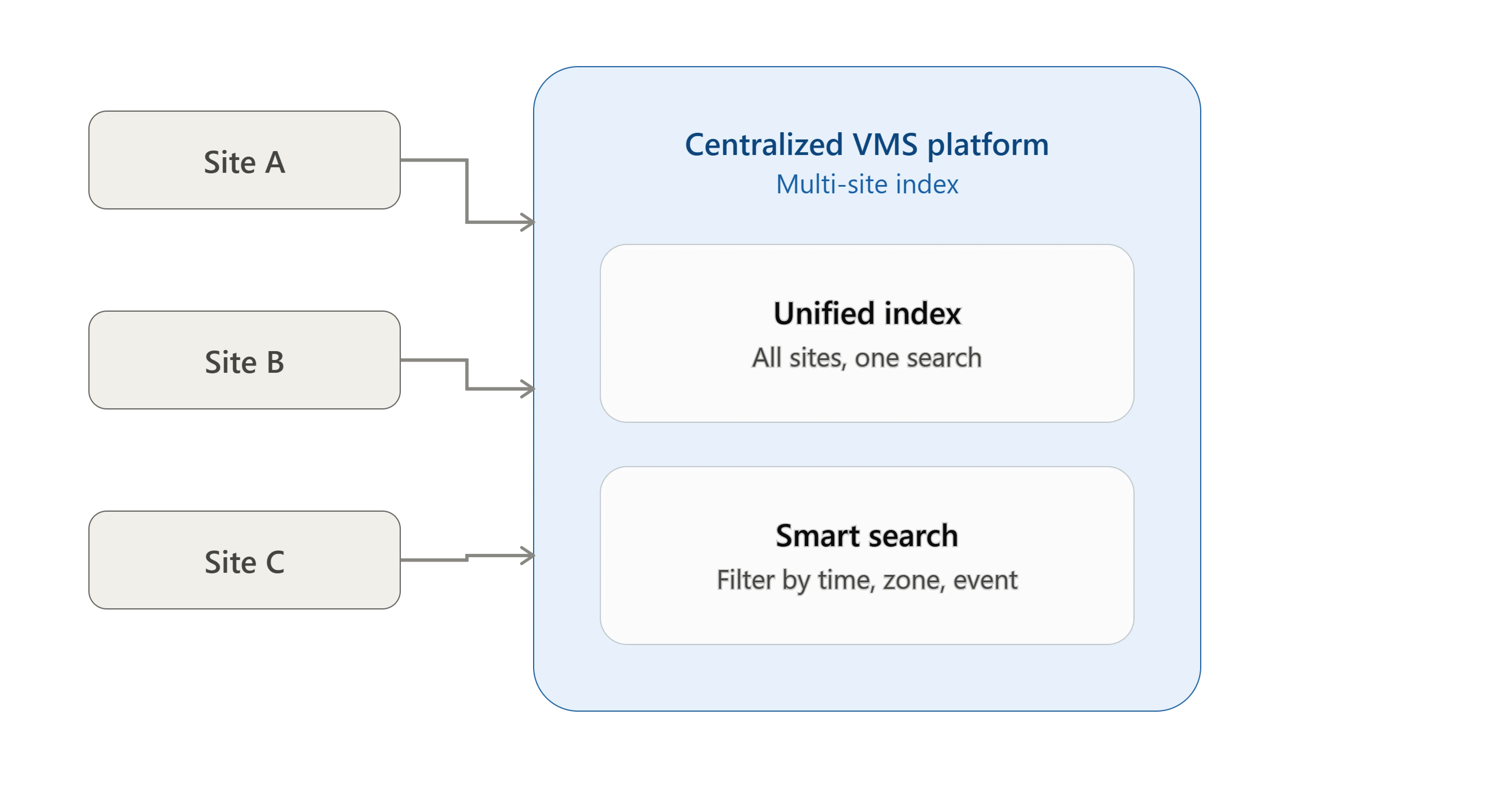
A centralized VMS indexes recordings from every connected site and camera into one searchable database, so the system builds a consistent index of what was recorded, when, and where, across every connected NVR not just the ones at head office. An operator can run one query, say a location and a time window, and get results across every relevant camera at once.
For organizations with multi-vendor camera environments, this indexing layer is what makes different hardware behave consistently from a search standpoint, regardless of manufacturer.
Advanced Filters and Metadata Search
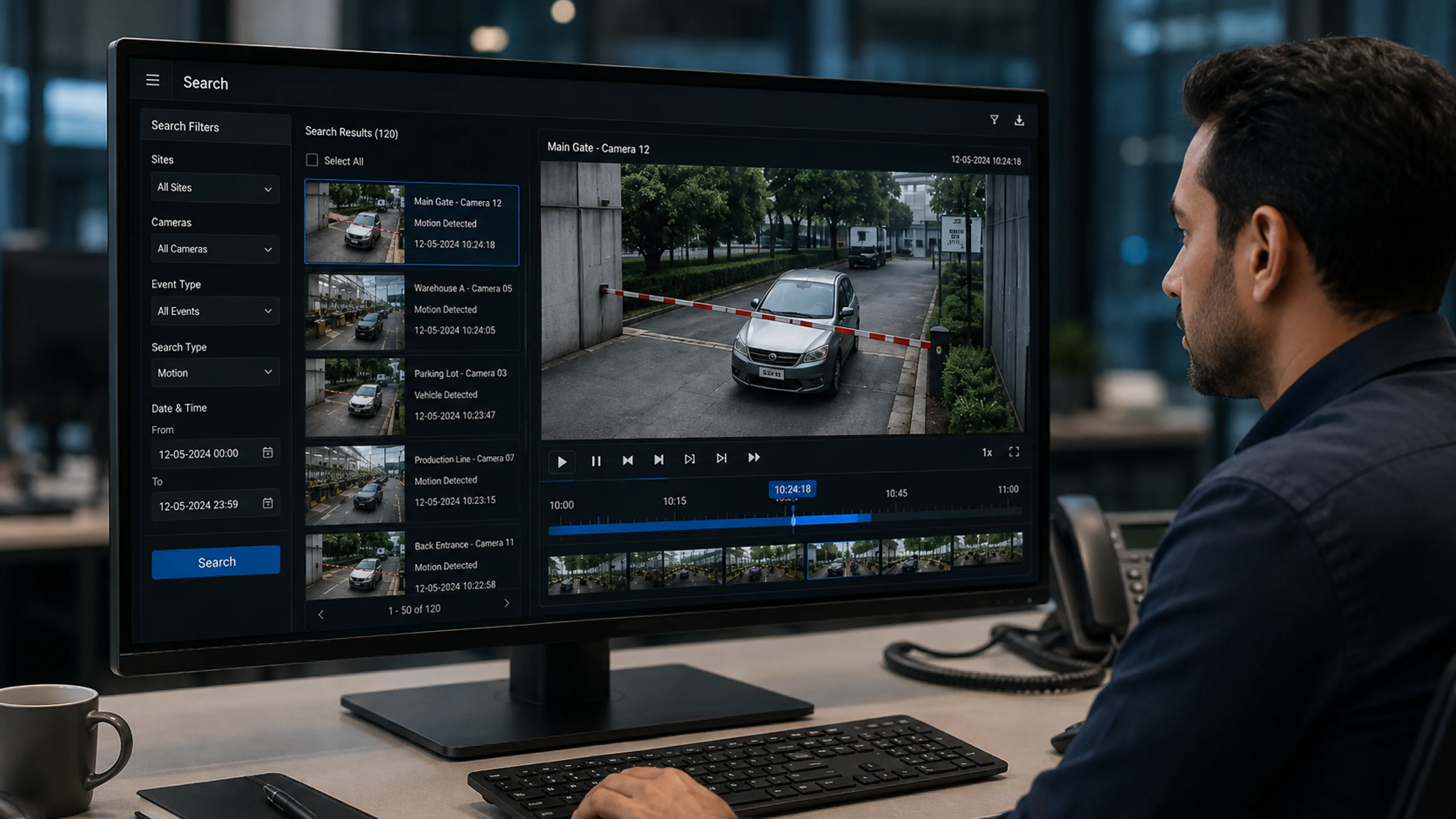
Once footage is indexed, filters make the difference between a fast search and a slow one. Practical filters include camera group, zone, time range, and event tags generated by connected analytics.
This is where metadata quality matters. Raw, untagged video gives an operator very little to filter by. Structured metadata motion events, zone entries, detected object types turns a blank eight-hour timeline into something searchable. An operator can narrow the search down to a defined window and camera set within seconds, cutting out hours of manual scrubbing.
Timeline, Thumbnail and Smart Playback Tools
Visual search tools reduce the cognitive load on operators. Thumbnail previews along a timeline let an operator scan for activity visually, far faster than watching every frame in real time. Motion-triggered timeline markers flag segments where something actually happened, so operators can skip long stretches of empty footage.
Smart playback variable speed review, synchronized multi-camera playback, instant jump-to-event turns what used to be a linear, time-consuming review process into something closer to skimming for the relevant section.
Does integrating a VMS with Video Analytics Actually Make Search Faster?
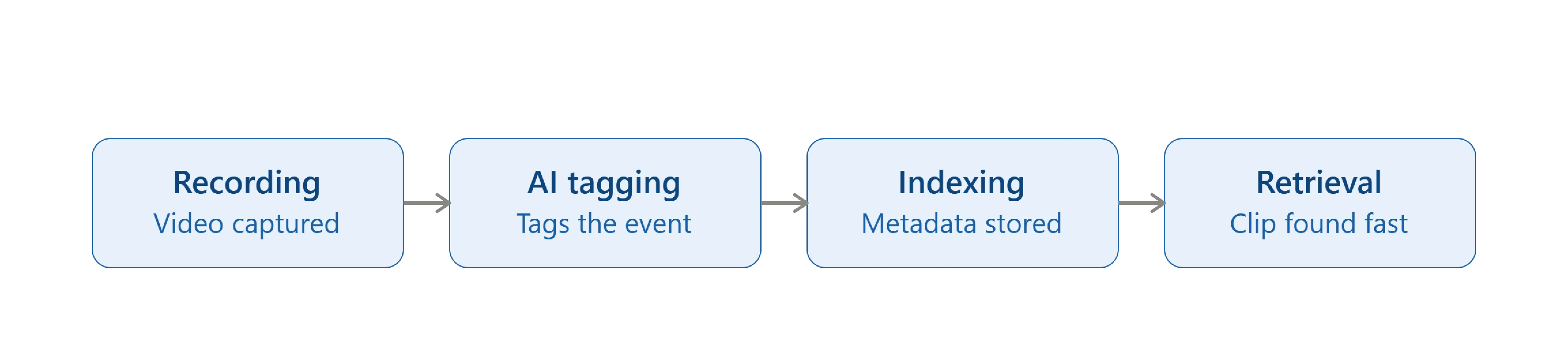
Yes, this is where search speed improves the most. Pairing a VMS with Katomaran Video Analytics tags footage with meaning at the point of recording. A person entering a restricted zone, a specific vehicle type, unusual loitering these get flagged automatically, so a search starts from events already identified, not hours of unlabeled video.
This has direct value for forensic video investigations, where investigators often need to find a specific person or vehicle across many hours and multiple cameras. Analytics-assisted search narrows that job from a manual review task to a targeted query. Our piece on using VSaaS-based video search for investigations covers how this plays out for security teams handling frequent case reviews.
What Practical Factors Still Affect Search Speed?
Centralization improves search significantly. It doesn't remove every constraint. A few practical factors still matter, and any serious vendor evaluation should account for them upfront rather than as an afterthought:
Storage architecture. How footage is stored locally, centrally, or in a hybrid model affects how quickly it can be retrieved, especially for older recordings that may be archived rather than kept on primary storage.
Network bandwidth between sites. For distributed deployments, retrieving high-resolution footage from a remote site over a constrained network link will always take longer than pulling it from local storage. This is a real consideration for sites connected via variable-quality broadband, which remains common across many parts of India.
Camera resolution and frame rate. Higher resolution improves evidentiary value but increases file sizes, which can slow down transfer and playback over slower connections.
Retention policy design. If retention periods are too short, footage relevant to a delayed investigation may already be gone. If retention is too long without a proper archiving strategy, storage costs and search index size both grow, which can affect performance if not planned for.
How Katomaran plans for this: Katomaran's VMS supports edge, on-premise, cloud, and hybrid deployment models specifically so these trade-offs can be designed around your actual site conditions rather than forcing every location into the same storage or bandwidth assumption.
What Common Mistakes That Keep Organizations from Getting Fast Search?
A few recurring mistakes undermine what should otherwise be a fast search experience:
Treating centralization as just video storage, without investing in proper metadata tagging or analytics integration.
Ignoring camera placement and coverage gaps, so operators end up piecing together footage from multiple partial angles.
Underestimating operator training, so advanced search tools go unused and teams default to manual scrubbing anyway.
Skipping retention planning, leading to gaps when an investigation happens weeks after an event.
Overlooking system reliability and compliance requirements. For organizations in regulated or public-sector environments, aligning software development practices with recognized standards such as those covered under STQC certification for software systems is worth factoring into vendor evaluation.
When Does Centralized Video Search Deliver the Biggest ROI
Not every deployment benefits equally. Centralized search delivers the most value in a few specific scenarios:
For organizations moving toward centralized, cloud-assisted monitoring, VSaaS security monitoring can also support remote guard management and improve visibility across security operations.
Environments with high camera counts, where manual review at scale simply isn't practical.
Security teams handling frequent incident investigations, where the time savings compound over a year.
Facilities moving away from a mix of on-premise DVRs, including those evaluating VSaaS for centralized, cloud-assisted monitoring without heavy on-site infrastructure.
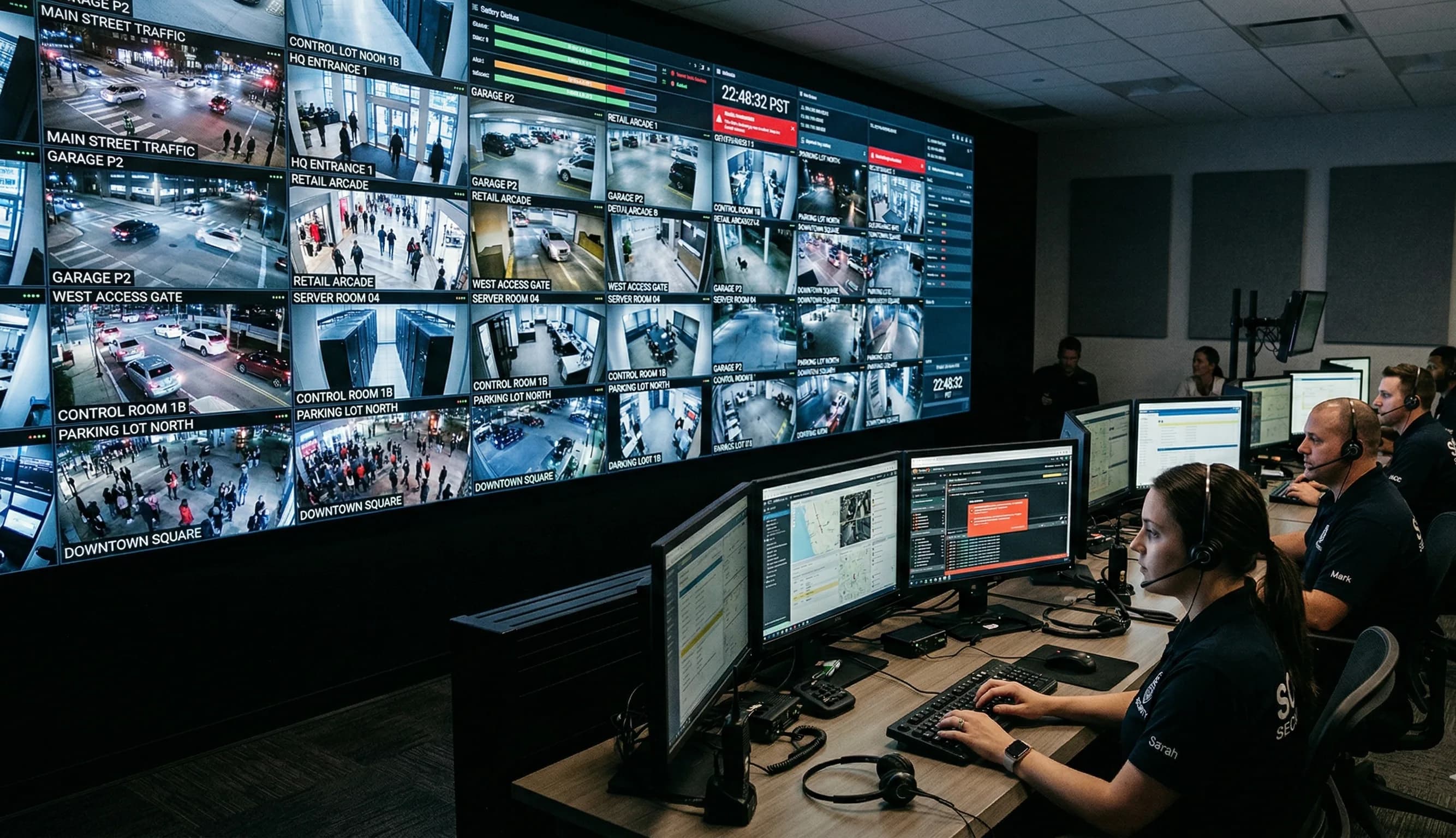
Katomaran's implementation of 800+ camera smart surveillance deployment in Cuttack is a working example of this at scale unified VMS, facial recognition, and ITMS search running across a citywide camera network from one command interface.
For single-site, low-camera-count deployments, the gains are real but more modest. The core benefit still applies, just at a smaller scale.
Frequently Asked Questions
1. What is a centralized VMS in the context of video search?
A centralized VMS brings recordings, metadata and search from every connected site and camera into one interface. Instead of logging into separate DVRs or NVRs, operators run a single search query across all connected locations to find relevant footage.
2. Why does video search take so long with traditional CCTV setups?
Traditional setups store footage on separate DVRs per site, often from different vendors, with no shared metadata. Operators have to manually check timestamps and switch between systems, which adds significant time to even simple investigations.
3. How does metadata search reduce the time spent finding footage?
Metadata tags footage with details like zone, event type or detected object at the time of recording. This lets operators filter directly to relevant clips instead of scrubbing through hours of unlabeled video.
4. Does integrating video analytics with a VMS actually speed up search?
Yes. Analytics flags events such as restricted zone entry or specific vehicle types as they happen, so footage arrives at search already tagged. This turns a manual review task into a targeted query.
5. Can a centralized VMS search footage across multiple sites at once?
Yes, provided each site's cameras and recorders are connected to the same platform. An operator can search a time range and location across a factory, warehouse or branch office without contacting each site separately.
6. Does network connectivity affect search speed for remote sites?
Yes. Retrieving high-resolution footage from a remote site over a slow or unstable connection takes longer than accessing footage stored locally. Hybrid storage models can reduce this delay for sites with variable connectivity.
7. Is centralized search useful for smaller, single-site deployments?
The benefit still applies but at a smaller scale. Indexing, filters and analytics improve search speed regardless of site count, though the bigger gains come from removing multiple logins and manual cross-site correlation.
Closing Thoughts
Slow video search almost always comes down to how disconnected the underlying systems are. A centralized VMS built with proper indexing, metadata search, and analytics integration cuts investigation time from hours to minutes and turns a fragmented multi-site setup into one that operators can actually work with.
If your team is currently managing multiple sites with disconnected recording systems, it may be worth reviewing where your current setup loses the most time cross-site correlation or metadata gaps are usually the first places to look.
Ready to see how much time a centralized VMS could save your team? Talk to the Katomaran team for a walkthrough of how a centralized VMS would apply to your specific camera environment and site layout.
Sources & Referral Links

Eswaravel Ekambaram
Co-Founder & COO
Eswaravel Ekambaram is Co-Founder & COO of Katomaran Technologies, driving operations, system architecture, and enterprise deployment of AI video analytics, VMS, and IoT solutions.