Introduction
Industrial plants and utility sites are built for operations—not for easy monitoring. They’re spread across large areas, often in remote locations, with limited security staff, unpredictable connectivity, and high-risk zones where a single incident can cause downtime, safety issues, or regulatory headaches.
That’s exactly where VSaaS (Video Surveillance as a Service) changes the game.
Instead of managing isolated DVR/NVR setups at every site, VSaaS helps you centralize monitoring, automate incident detection, and access live + recorded video securely from anywhere—while keeping deployment scalable and cost-efficient.
If you manage manufacturing plants, substations, warehouses, water treatment facilities, renewable energy parks, or pipeline corridors, this guide explains how VSaaS works, why it fits industrial/utility environments, and how to roll it out in a way that actually generates measurable outcomes.
What is VSaaS (Video Surveillance as a Service)?
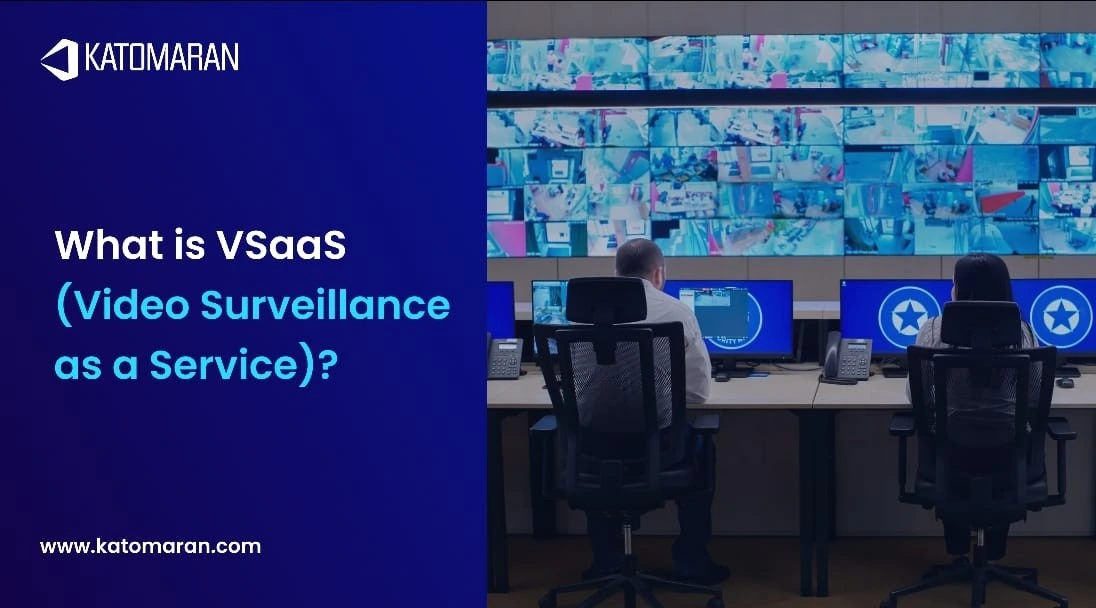
VSaaS is a surveillance model where video streams and recordings are managed through a centralized platform (cloud, private cloud, or on-prem-managed service). Instead of maintaining separate recording servers, storage, and monitoring at each site, VSaaS provides:
Central dashboard for multi-site monitoring
Remote access to live streams and playback
Centralized storage (cloud / private cloud / hybrid)
User roles and audit logs for compliance
Alerts, event search, and incident evidence in minutes
Think of it as shifting from “each site is an island” to one unified command-and-control view.
Why Remote Monitoring is Hard in Industrial and Utility Sites
If you’ve managed industrial or utility surveillance, you already know the pattern: sites are spread out, security staff are limited, and connectivity varies. But the real challenge is that incidents don’t happen on schedule and manual monitoring doesn’t scale.
Industrial and utility environments face a tough mix of risk and complexity:
Remote locations with limited on-site presence
High-value assets that attract theft/vandalism
Safety and compliance expectations (and audits)
IT/OT security requirements that limit “easy” remote access
VSaaS fits this reality because it’s designed for centralized operations across distributed sites—without demanding heavy on-site management at every location.
How VSaaS Enables Remote Monitoring
1) You Get a Central Command View Across All Sites
In a VSaaS setup, your control room (or even a regional security manager) can view all camera feeds by site, zone, or risk category from one dashboard. That sounds simple, but operationally it’s a major shift: you stop relying on “someone at the site” to confirm what happened. Instead, incident verification becomes immediate. A gate alarm triggers? You pull the feed in seconds. A night patrol reports movement? You verify before dispatching a team. This is where remote monitoring becomes a process not a manual habit.
Instead, incident verification becomes immediate. A gate alarm triggers? You pull the feed in seconds. A night patrol reports movement? You verify before dispatching a team.
This is where remote monitoring becomes a process not a manual habit.
2) Alerts Replace Constant Watching
The strongest remote monitoring isn’t “watching more screens.” It’s watching less—because the system tells you what matters.
VSaaS platforms typically support event-driven alerts that can be tailored to your site risk profile—intrusion at perimeter zones, loitering near restricted areas, unauthorized access at odd hours, vehicle anomalies at gates, and safety-related triggers where analytics are enabled.
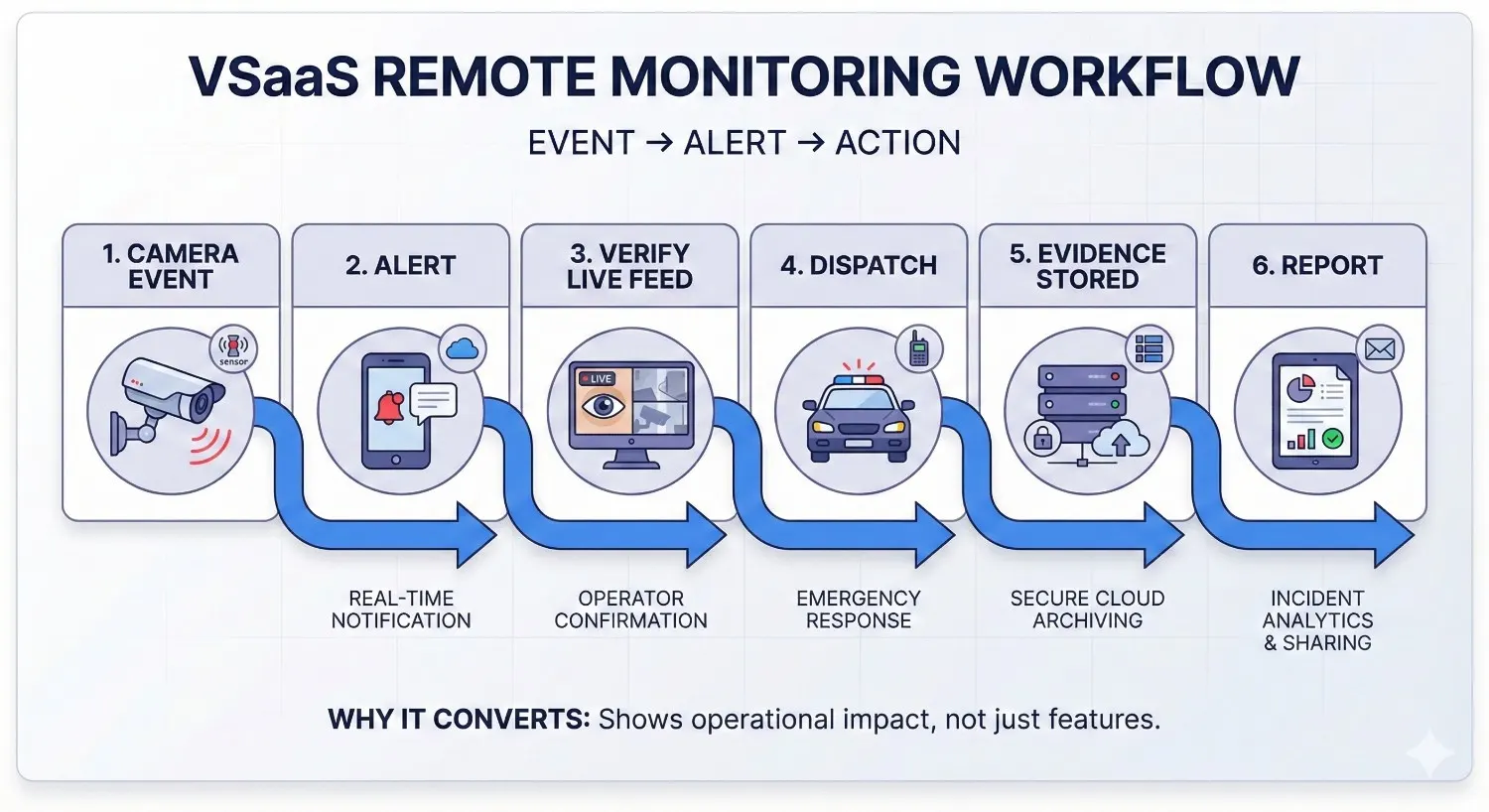
You still keep live view when needed, but instead of 90% “nothing is happening,” your team gets a workflow:
event → alert → verification → response → evidence stored.
3) Investigations Become Faster and Cleaner
When incidents happen, the biggest cost is often time—time to find footage, time to compile evidence, and time to prove what happened.
VSaaS speeds this up because your recordings and event markers are centralized. Investigators can search by timeline, site, camera, or event type, and generate clips quickly with proper access controls.
That matters for:
internal incident reporting
compliance documentation
insurance claims
vendor disputes
In industrial and utility environments, evidence isn’t optional—it’s protection.
4) You Know When Cameras Fail (Before Incidents)
One of the most painful moments in surveillance is hearing: “The camera wasn’t recording.”
VSaaS platforms typically provide health monitoring that flags camera offline status, stream issues, recording failures, or storage problems. Instead of discovering gaps after an incident, you catch them as operational issues—like any other critical infrastructure health alert.
How to Deploy VSaaS Without Breaking Operations
A VSaaS rollout works best when it starts with risk zones and workflows, not “connecting all cameras first.”
A practical deployment approach is:
Identify your top risk zones (perimeter, gates, high-value assets, restricted areas).
Connect key cameras and standardize naming, zones, and permissions.
Configure alerts + escalation rules (who gets notified, how, and when).
Train teams on verification and evidence workflows.
Tune alerts to reduce false positives and improve response quality.
This keeps deployment smooth and ensures the system drives outcomes—not just dashboards.
What to Look for in a VSaaS Platform
Not every VSaaS platform is built for harsh environments, distributed sites, and IT/OT governance. Beyond “live view + recording,” focus on the capabilities that protect uptime, reduce investigation time, and keep access secure.
A solid industrial/utility-ready VSaaS should support:
Hybrid deployment options (cloud, private cloud, or hybrid) to match bandwidth and policy constraints
Role-based access control (RBAC) so teams only see what they’re permitted to
Audit logs that show who viewed footage and when (critical for compliance)
Camera and recording health monitoring (offline alerts, storage issues, stream failures)
Flexible retention rules by site/zone (example: 15 days for general areas, 60–90 days for critical zones)
Fast search + clip export to create incident evidence quickly
Integration readiness with AI analytics, access control, alarms, and SOP workflows
If you run utility infrastructure, also prioritize cybersecurity basics like MFA, encryption in transit, and network segmentation support.
Common VSaaS Use Cases That Generate Quick ROI
Most teams see the fastest results when VSaaS is applied to “high frequency, high impact” incidents—events that happen often enough to drain time, and serious enough to justify automation.
Industrial sites typically start with:
Perimeter monitoring for intrusion and theft deterrence
Gate monitoring for entry validation and incident proof
High-value asset zones (stores, copper yards, equipment bays)
Safety oversight in restricted areas (where analytics is enabled)
Utility sites often prioritize:
Substation entry verification and tamper incidents
Remote pumping stations and water treatment security
Solar/wind farm perimeter and equipment protection
Remote distribution points and transformer yard monitoring
The benefit isn’t only prevention—it’s faster verification and response, which reduces downtime risk and improves accountability.
Conclusion
Remote monitoring for industrial and utility sites isn’t just about viewing cameras from afar—it’s about reducing risk, improving response time, and keeping operations running without blind spots. VSaaS makes this possible by bringing every site into a single platform where teams can verify incidents instantly, receive real-time alerts, investigate faster, and maintain stronger control over access and compliance.
Whether you manage a few remote substations or dozens of distributed industrial locations, VSaaS helps you move from scattered CCTV systems to a scalable, standardized monitoring strategy that delivers measurable outcomes—better uptime, faster decisions, and stronger evidence when it matters most.
If you’re ready to modernize remote monitoring, start with a focused pilot on your highest-risk zones and expand with confidence across all sites.

Dinesh Kumar
SEO Analyst
Dinesh Kumar is an SEO Analyst at Katomaran Technologies, writing search-optimized content on AI video analytics, VMS, intelligent surveillance, and IoT-driven technology solutions.