Introduction
Corporate offices handle hundreds or even thousands of daily movements. Employees enter during peak hours, visitors arrive for meetings, vendors access reception areas, and security teams must ensure that only authorized people move inside the workplace.
Traditional systems like ID cards, manual visitor registers, and reception-based verification are no longer enough for modern office security. Cards can be forgotten, shared, or misused. Visitor logbooks can be incomplete. Manual checks can slow down entry and make it difficult to maintain accurate records.
This is where face recognition for corporate offices helps. It gives businesses a faster, contactless, and identity-based way to manage employee entry, visitor verification, attendance, and access logs.
With an AI-powered face recognition system, corporate offices can verify people in real time, reduce unauthorized access, improve visitor check-in, and maintain a clear audit trail for every entry event.
Why Corporate Offices Need Smarter Entry and Visitor Verification
Corporate office security is not only about locking doors. It is about knowing who entered, when they entered, where they accessed, and whether they were authorized.
Many offices still depend on access cards, security guards, visitor books, or manual approval processes. These methods may work in small setups, but they become difficult to manage as the workplace grows.
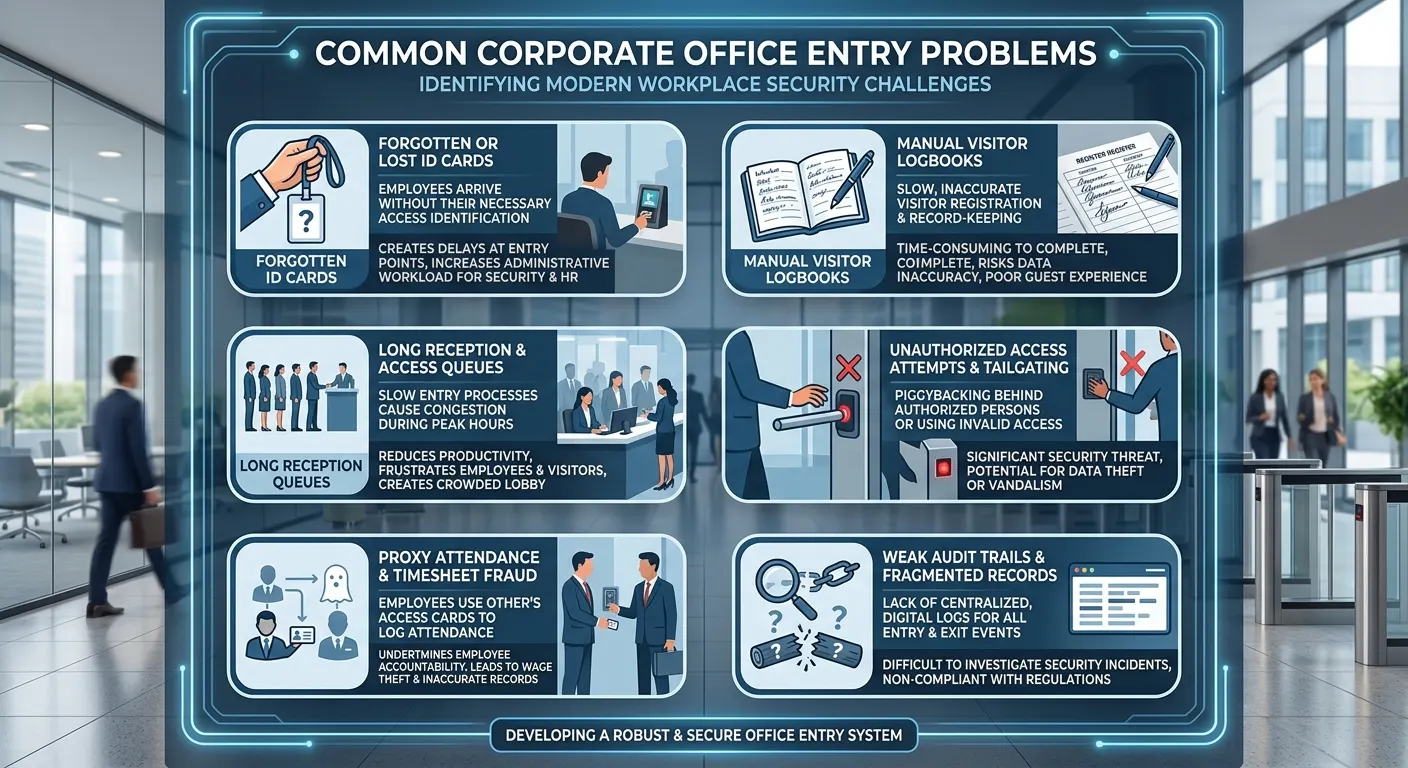
Common problems include:
| Traditional Challenge | Business Impact |
|---|---|
| Employees forget or share ID cards | Weak identity verification |
| Manual visitor logbooks | Incomplete or inaccurate records |
| Long reception queues | Poor visitor and employee experience |
| Unauthorized visitor access | Higher workplace security risk |
| No person-level audit trail | Difficult incident investigation |
| Proxy attendance | Inaccurate employee attendance records |
Access cards can show that a card was used, but they do not always confirm that the right person used it. This creates a security gap for offices that need stronger identity-based access control. A modern employee access control with FRS approach helps reduce card sharing, lost credential issues, and weak audit records.
A smarter office entry system should verify people, reduce manual work, and create reliable records automatically.
What Is Face Recognition for Corporate Offices?
Face recognition for corporate offices is an AI-based identity verification system that recognizes employees, visitors, vendors, and authorized personnel using their facial features.
Instead of depending only on ID cards, PINs, or manual checks, the system uses a camera to detect and verify a person’s face. Once the face is matched with an authorized profile, the system can allow entry, mark attendance, notify the host, or generate an alert.
A corporate face recognition system can be used in areas such as:
| Office Area | How Face Recognition Helps |
|---|---|
| Main entrance | Verifies employee entry |
| Reception area | Confirms visitor identity |
| Meeting zones | Tracks approved guest movement |
| Server rooms | Restricts access to authorized staff |
| Finance or admin rooms | Protects sensitive departments |
| Multi-branch offices | Maintains centralized access records |
An AI Face Recognition System can support office security, access control, attendance, and contactless identity verification from a single platform.
The main goal is simple: make workplace entry faster, safer, and more accountable.
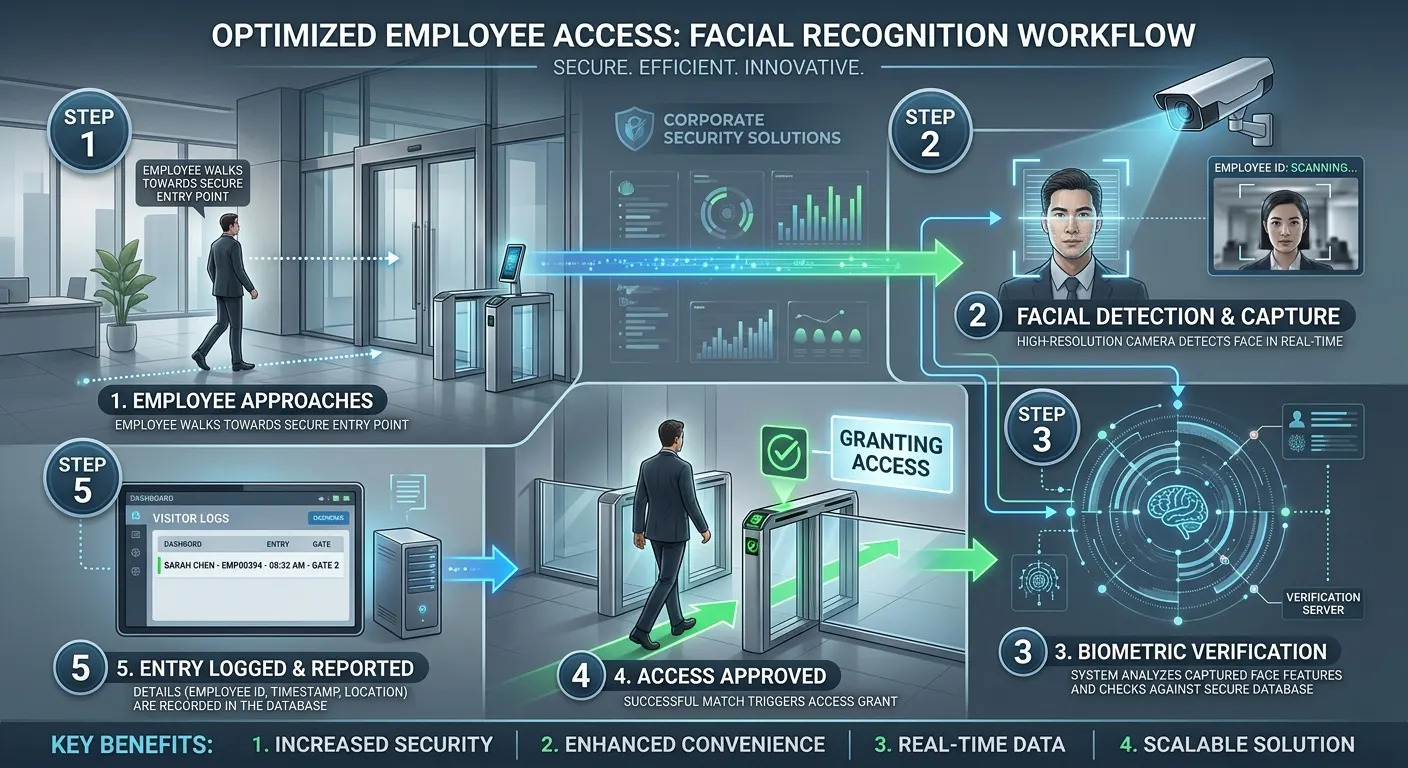
How Face Recognition Improves Employee Entry
Employee entry is one of the most important use cases of face recognition in corporate offices. During office opening hours, employees often enter in groups, and manual checks can slow down the process.
With face recognition, the entry flow becomes faster and more reliable.
Employee entry flow:
Employee approaches the entrance → Camera detects the face → System verifies identity → Access is approved → Entry event is logged
This process removes the need for employees to swipe cards, enter PINs, or wait for manual verification.
Benefits of Face Recognition for Employee Entry:
| Benefit | Explanation |
|---|---|
| Faster office entry | Employees can enter without scanning cards or signing registers |
| Contactless verification | No physical touch or shared devices required |
| Stronger identity confirmation | Access is linked to the employee, not just a card |
| Reduced card misuse | Prevents borrowed, shared, or misplaced access cards |
| Better audit trail | Every entry is recorded with time, person, and location |
| Improved security experience | Employees get smooth access while security stays strong |
Compared with traditional card-based systems, face recognition gives offices better control over who enters the workplace. Businesses comparing FRS vs traditional access cards can clearly see the difference between card-based access and person-based verification.
For corporate offices, this is especially useful at main gates, building entrances, employee lobbies, and restricted work zones.
Face Recognition for Employee Attendance Management
Employee entry and attendance often happen together. When an employee is verified at the office entrance, the same face recognition system can also record attendance automatically.
This helps HR and admin teams reduce manual attendance work, avoid proxy attendance, and maintain accurate entry records.
A face recognition attendance system can capture:
| Attendance Data | Why It Matters |
|---|---|
| Employee name | Identifies the verified person |
| Entry time | Records check-in automatically |
| Exit time | Supports working-hour calculation |
| Location | Useful for multi-branch offices |
| Attendance status | Helps HR teams track presence |
| Exception records | Identifies late entry or missed checkout |
Manual attendance systems can create errors. Employees may forget to punch in, use another person’s card, or depend on manual correction. Face recognition reduces these issues because the employee must be physically present for verification.
With a face recognition attendance system, corporate offices can support real-time attendance, HR software integration, payroll workflows, and access control systems.
For corporate offices, this creates a cleaner workflow:
Employee enters the office → Face is verified → Attendance is marked → Entry is logged → HR records are updated
This makes the system useful for HR, security, and facility management teams.
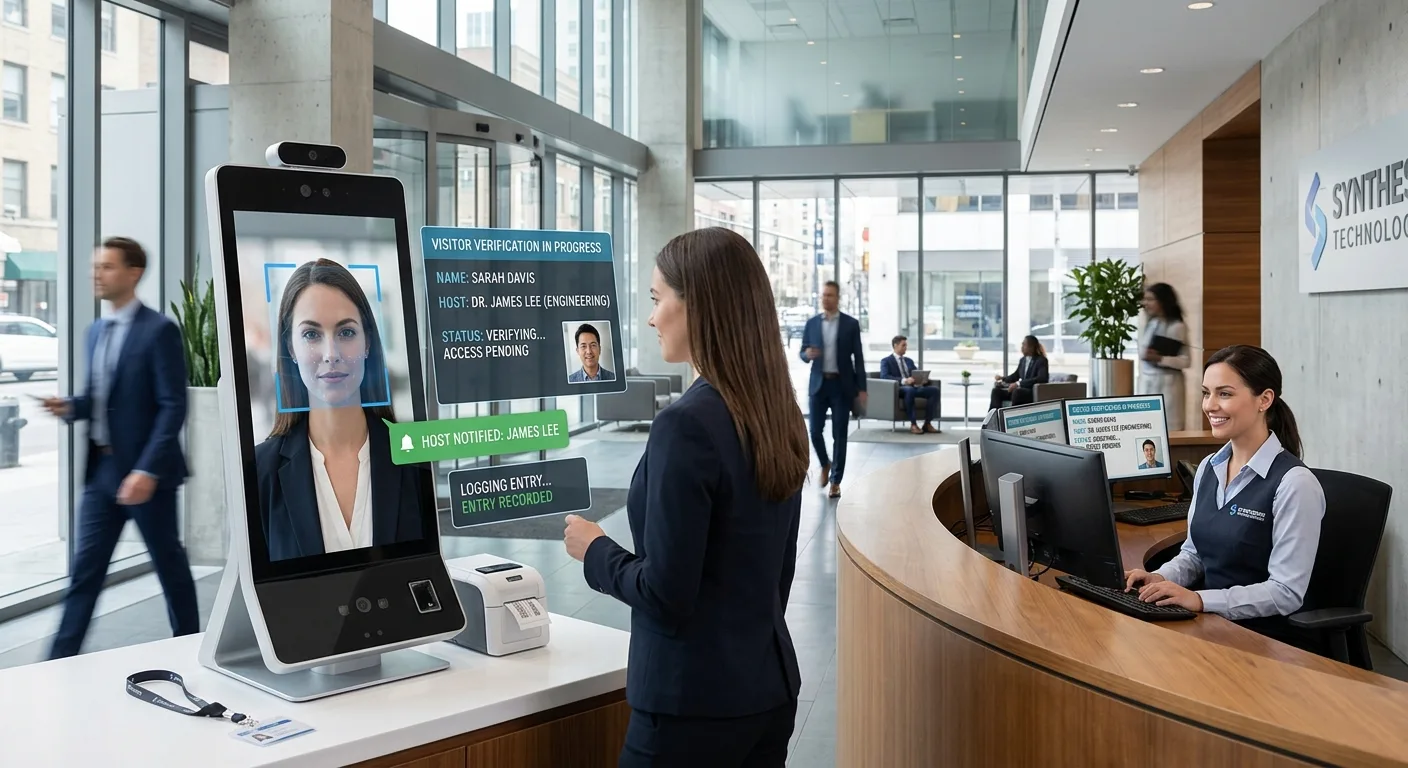
How Face Recognition Improves Visitor Verification
Visitor verification is another important use case for corporate offices. Every office receives visitors such as clients, vendors, interview candidates, delivery personnel, service providers, and contractors.
If visitor verification is handled manually, reception teams may struggle during busy hours. Paper registers can be incomplete, and it may be difficult to confirm whether a visitor is approved, blocked, or entering for a valid reason.
Face recognition makes visitor verification more structured and secure.
Visitor verification flow:
Visitor arrives → Face is captured → Identity is verified → Host is notified → Access is approved → Visitor entry is logged
This helps the reception and security team know exactly who is entering the premises.
Key Benefits for Visitor Verification:
| Feature | Benefit |
|---|---|
| Digital visitor registration | Reduces paper-based entry records |
| Face-based identity verification | Confirms that the visitor is the right person |
| Host notification | Alerts the employee or department being visited |
| Watchlist matching | Identifies blocked or suspicious visitors |
| Temporary access control | Limits visitor access to approved areas only |
| Visitor audit trail | Helps review past visits during investigations |
For example, if a visitor has a scheduled meeting, the system can verify their face, notify the host, and allow entry only after approval. If the visitor is not recognized or appears on a watchlist, the system can alert the security team immediately.
This is useful for corporate offices that need better control over reception areas, meeting rooms, executive floors, and visitor-only zones.
Face recognition does not just speed up visitor entry. It also improves accountability.
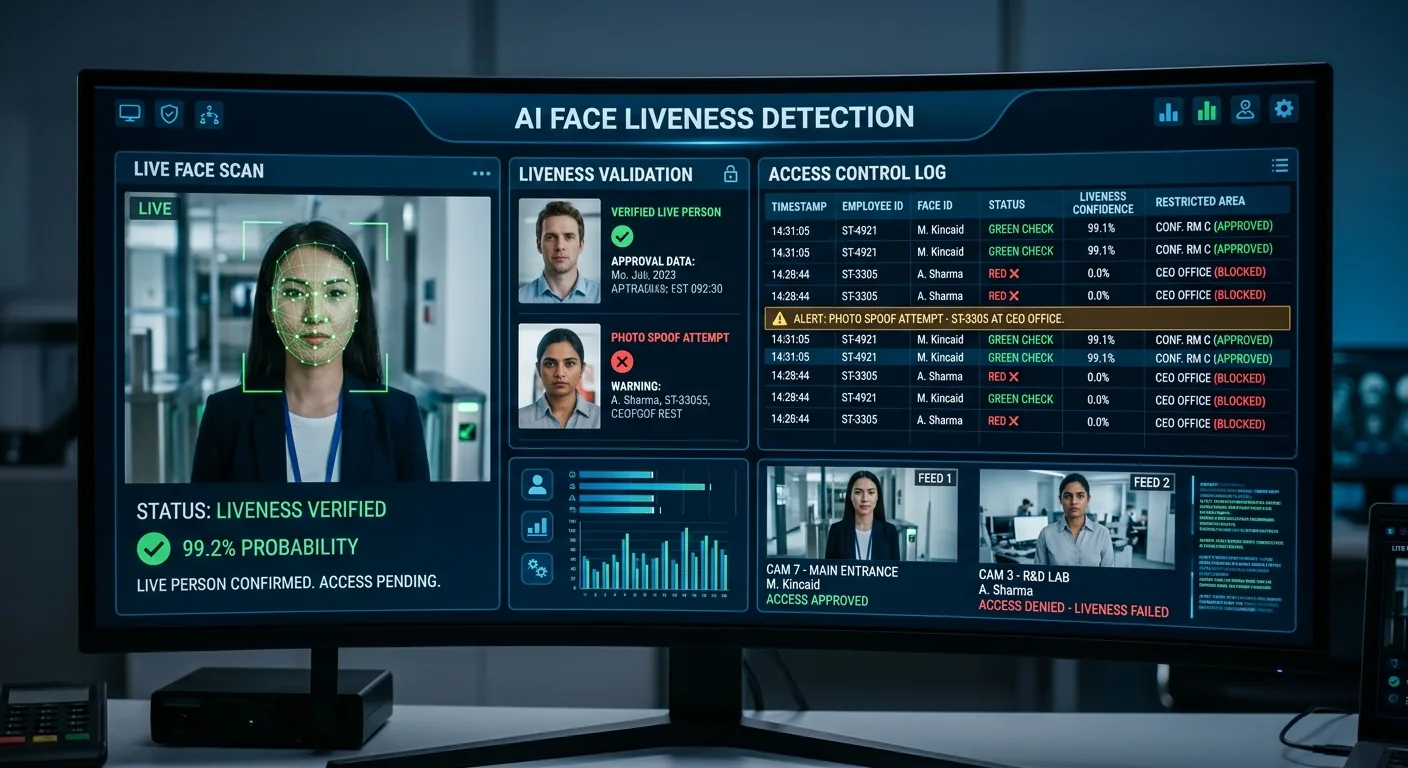
Liveness Detection for Secure Employee and Visitor Verification
A face recognition system should not only match a face. It should also confirm that the person is real and physically present.
This is where liveness detection becomes important.
Liveness detection helps prevent spoofing attempts using photos, videos, masks, or mobile screen images. Without liveness detection, someone may try to fool a face recognition system using a fake image.
Common spoofing risks include:
| Spoofing Attempt | Security Risk |
|---|---|
| Printed photo | Fake identity attempt |
| Mobile phone image | Impersonation using saved photo |
| Recorded video | Unauthorized verification attempt |
| Mask or deepfake | Advanced spoofing risk |
For corporate offices, liveness detection is important in employee entry, visitor verification, attendance marking, and restricted zone access.
Adding face liveness in FRS helps strengthen access and attendance workflows by checking whether the person being verified is live and physically present.
With liveness detection, the system can verify that the person standing in front of the camera is live, present, and not using a fake identity method.
Restricted Area Access Control in Corporate Offices
Not every employee or visitor should have access to every area inside a corporate office. Some zones require stronger access control because they contain sensitive data, valuable equipment, confidential documents, or critical infrastructure.
Face recognition helps offices manage restricted area access more securely.
Common restricted areas include:
| Restricted Area | Why Access Control Matters |
|---|---|
| Server rooms | Protects IT infrastructure and data |
| Finance department | Secures financial records |
| HR department | Protects employee information |
| R&D rooms | Secures confidential projects |
| Executive cabins | Limits access to authorized people |
| Control rooms | Prevents unauthorized operational access |
In a card-based system, an access card can be passed to another person. But with face recognition, access is tied to the actual identity of the person.
If an unauthorized person tries to enter a restricted area, the system can deny access and generate an alert. This helps security teams respond faster and maintain stronger workplace control.
For offices that need auditability, this is very useful. Every access event can be recorded with the person’s identity, time, camera location, and access result.
Key Features to Look for in a Corporate Face Recognition System
Before choosing a face recognition system for corporate offices, businesses should look beyond basic face matching. The system should support real office workflows, security needs, and integration requirements.
Important features include:
| Feature | Why It Matters |
|---|---|
| Real-time face recognition | Verifies employees and visitors quickly |
| Liveness detection | Prevents spoofing using photos or videos |
| Visitor verification | Supports reception and guest approval workflows |
| Attendance integration | Helps HR teams automate attendance records |
| Access control support | Works with doors, gates, and restricted zones |
| Watchlist alerts | Identifies blocked or suspicious people |
| Audit logs | Supports investigation and compliance needs |
| Multi-location dashboard | Useful for offices with multiple branches |
| Existing camera compatibility | Reduces new hardware costs |
| Role-based access | Limits sensitive data access to authorized admins |
| On-premise deployment option | Helps privacy-focused businesses control data |
A strong corporate face recognition system should not work as a standalone tool only. It should connect with office security, HR, visitor management, access control, and monitoring workflows.
For example, an office may need face recognition at the main entrance, visitor verification at reception, attendance integration for HR, and restricted access alerts for server rooms. A flexible system can support these use cases from one dashboard.
Privacy and Responsible Use of Face Recognition in Offices
Face recognition uses biometric information, so offices must handle it responsibly. Employees and visitors should clearly understand why the system is used, how their data is protected, and how long records are stored.
Responsible use builds trust and helps businesses avoid misuse of biometric data.
Important privacy practices include:
| Practice | Why It Matters |
|---|---|
| Clear consent | Employees and visitors should know how face data is used |
| Defined purpose | Use face recognition only for entry, attendance, security, or visitor verification |
| Secure data storage | Protect biometric templates and access records |
| Role-based permission | Only authorized admins should access sensitive records |
| Retention policy | Avoid storing data longer than required |
| Alternative verification | Provide another option where biometric use is not suitable |
| Audit monitoring | Track who accessed system records and when |
Corporate offices should also avoid using face recognition in a way that feels intrusive. The system should be used for clear workplace security and operational purposes.
When implemented correctly, face recognition can improve office safety while still respecting employee and visitor privacy.
Conclusion
Corporate offices need a better way to manage employee entry, visitor verification, attendance, and restricted area access. Traditional methods like ID cards, manual visitor registers, and reception-only verification can create delays, security gaps, and weak audit trails.
Face recognition for corporate offices helps solve these challenges with real-time, contactless, and identity-based verification.
It allows employees to enter faster, helps HR teams automate attendance, supports visitor verification, prevents unauthorized access, and creates a complete audit trail for every entry event.
For modern workplaces, face recognition is not just an access tool. It is a smarter way to connect security, attendance, visitor management, and office accountability.
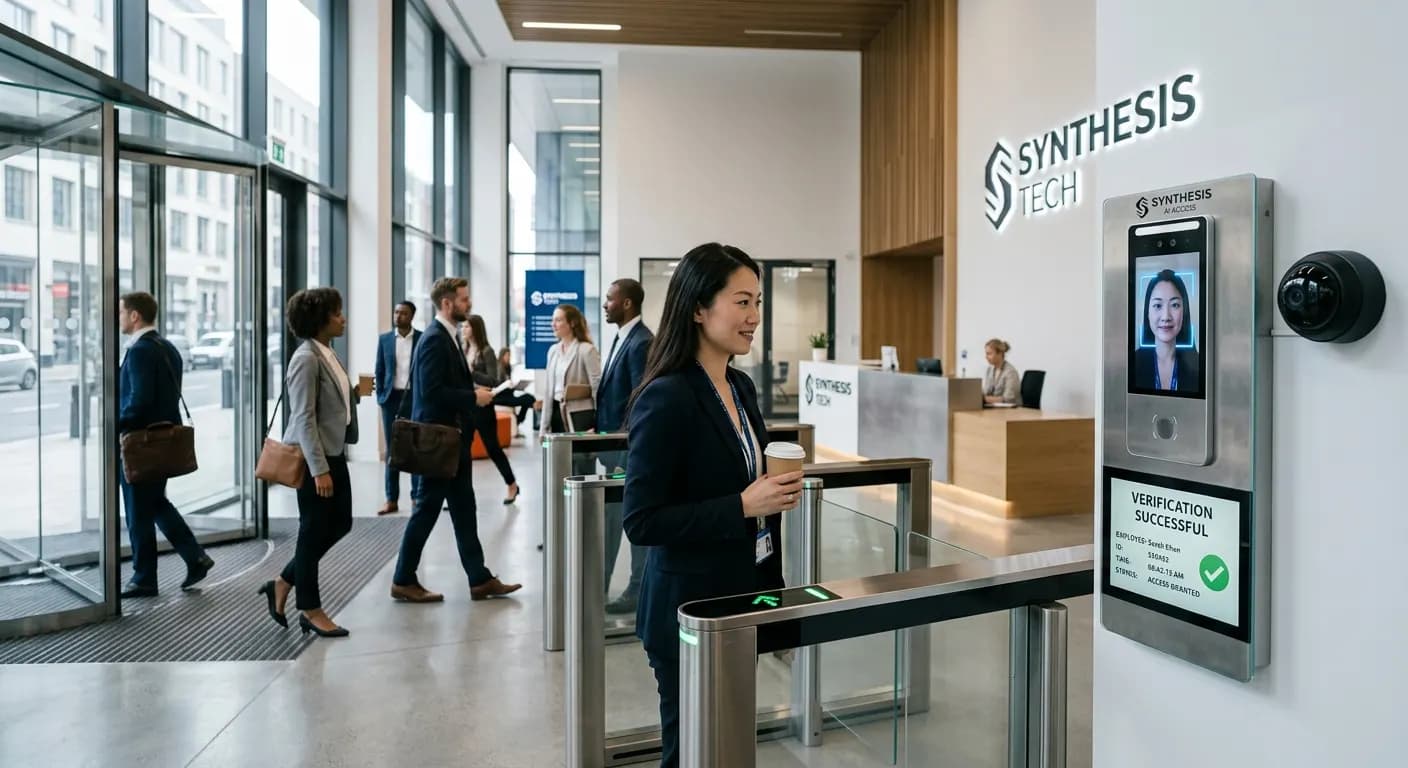

Dinesh Kumar
SEO Analyst
Dinesh Kumar is an SEO Analyst at Katomaran Technologies, writing search-optimized content on AI video analytics, VMS, intelligent surveillance, and IoT-driven technology solutions.